Image byANDRI TEGAR MAHARDIKA from Pixabay
前言
安装什么的不说了,无非clink,starship,terminal。
terminal的默认配置要求已经改好,比如默认字体,背景、背景透明度什么的。
环境变量
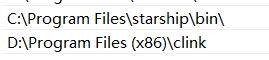
番外:如果fastfetch显示没有命令,也需要添加环境变量。
注册表
导航至:
计算机\HKEY_CURRENT_USER\SOFTWARE\Microsoft\Command Processor
新建字符串值 键名:AutoRun,值:"D:\Program Files (x86)\clink\clink.bat" inject --autorun --profile ~\clink;这里的路径按自己的情况修改。
该设置的意义是:每次打开Cmd时,都会自动加载clink.bat。
clink配置
导航至"D:\Program Files (x86)\clink,路径也是你的clink_x64.exe所在处。
starship
这是让AI改的,用于避免同时执行其他命令与load(io.popen('starship init cmd'):read("*a"))()冲突。
如我使用oh-my-posh.lua时,发生了D:\Program Files (x86)\clink\oh-my-posh.lua:1: attempt to call a nil value这样的错误。
starship.lua
-- 保存当前的默认输入流
local old_stdin = io.input()

-- 将默认输入流临时重定向到一个空文件或 nil
-- 这里以重定向到空设备为例,你也可以使用 io.tmpfile()
io.input("nul")

-- 执行 Starship 初始化,此时它不会有可读的输入
local starship_init = io.popen('starship init cmd')
load(starship_init:read("\*a"))()
starship_init:close()

-- 恢复原来的默认输入流
io.input(old_stdin)
启动其他命令
如果没有使用fastfetch,则不必新建fastfetch.lua文件。
如果要运行其他命令,只需要参考此处的思想即可。
我在这个目录下新建了一个fastfetch.lua文件,内容如下:
os.execute("chcp 65001 > nul && fastfetch")
用于启动自定义命令,让终端以UTF-8编码显示,然后执行fastfetch命令,显示系统logo:
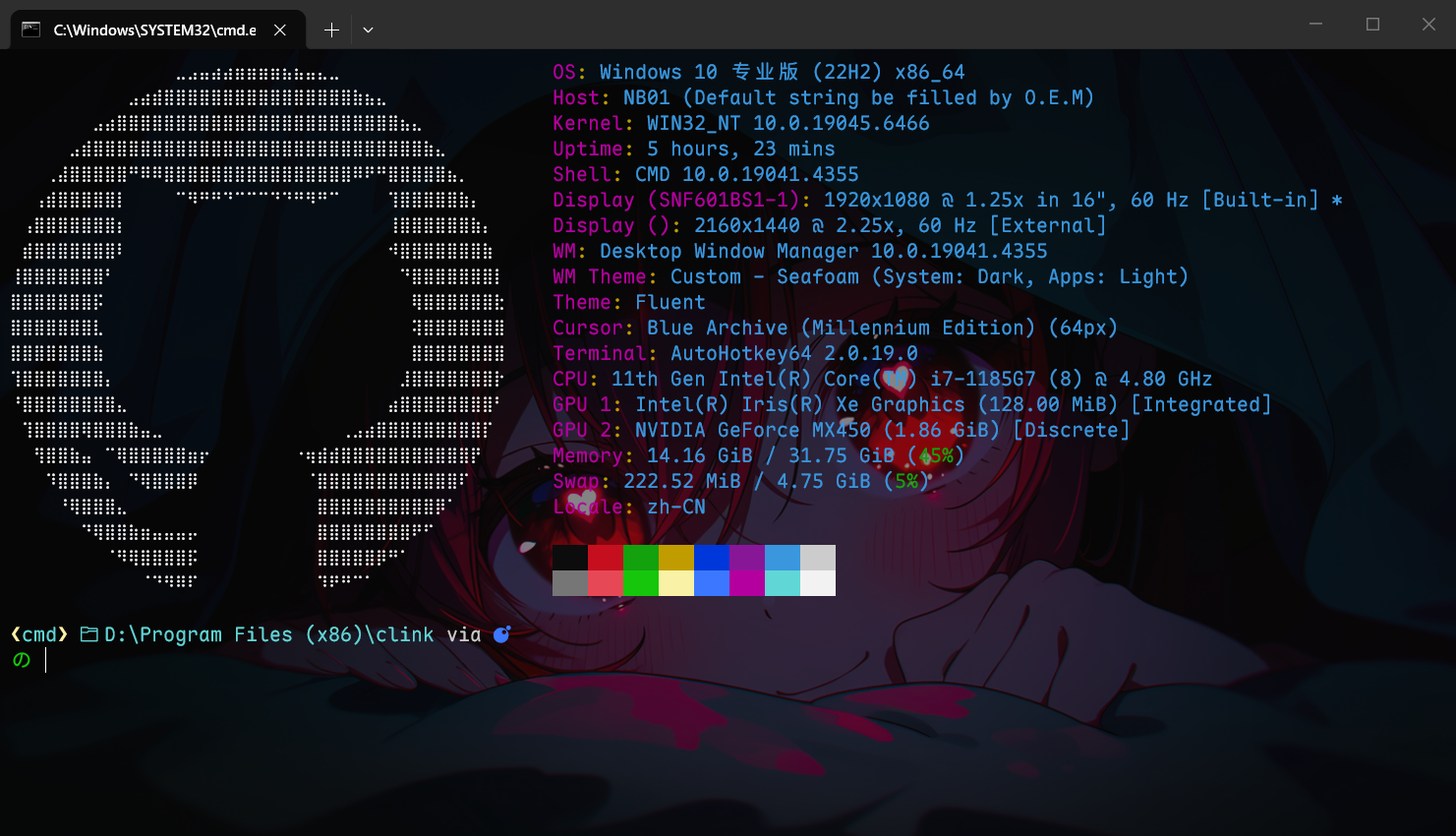
这种logo文件可以在网上随便找个网站生成,当然,得先有个图。
这个网站不错:https://1ktools.com/zh-cn/tools/image/ascii-generator
starship配置
导航至C:\Users\user\.config,对应你的用户名。
新建starship.toml文件,内容如下:
这是我自己的配置,根据使用 starship 统一 cmd, powershell, git bash 等样式 - 知乎 修改。
starship.toml
# 设置配置范例,开启编辑器的自动补全
"$schema" = 'https://starship.rs/config-schema.json'
# 在命令之间插入空行
add_newline = true
format = '''
(bold green)$shell $directory$all$character'''
[character]
# 所有状态统一使用 "の",并分别设置颜色(可选)
success_symbol = "[の](bold green)"
error_symbol = "[の](bold red)"
vicmd_symbol = "[の](bold cyan)"
# 如果需要 vi 替换模式也统一:
vimcmd_replace_one_symbol = "[の](bold cyan)"
vimcmd_replace_symbol = "[の](bold cyan)"
vimcmd_visual_symbol = "[の](bold cyan)"
# 禁用 package 组件,完全隐藏它的提示符
[package]
disabled = true
# A continuation prompt that displays two filled in arrows
continuation_prompt = "▶▶"
# 显示文件夹路径
[directory]
format = "[ $path]($style)[$read_only]($read_only_style) "
truncation_symbol = '…/'
[shell]
format = '[❮](bold yellow)[$indicator]($style)[❯](bold yellow)'
powershell_indicator = 'pwsh'
fish_indicator = 'fish'
bash_indicator = 'bash'
unknown_indicator = 'mystery shell'
style = 'cyan bold'
disabled = false
[sudo]
style = 'bold green'
symbol = ' '
disabled = false
# A minimal left prompt
# format = """$character"""
# move the rest of the prompt to the right
# right_format = """$all"""
[aws]
symbol = " "
[buf]
symbol = " "
[c]
symbol = " "
[conda]
symbol = " "
[dart]
symbol = " "
[docker_context]
symbol = " "
[elixir]
symbol = " "
[elm]
symbol = " "
[fossil_branch]
symbol = " "
[git_branch]
symbol = " "
format = "[$symbol$branch(:$remote_branch)]($style) "
style = "bold yellow"
[git_status]
conflicted = ' '
ahead = ' '
behind = ' '
diverged = ' '
up_to_date = '✓'
untracked = ' '
stashed = ' '
modified = ' '
staged = '[++\($count\)](green)'
renamed = ' '
deleted = ' '
[golang]
symbol = " "
[guix_shell]
symbol = " "
[haskell]
symbol = " "
[haxe]
symbol = " "
[hg_branch]
symbol = " "
[hostname]
ssh_symbol = " "
[java]
symbol = " "
[julia]
symbol = " "
[lua]
symbol = " "
[meson]
symbol = " "
[nim]
symbol = " "
[nix_shell]
symbol = " "
[nodejs]
symbol = " "
[pijul_channel]
symbol = " "
[python]
symbol = " "
[erlang]
symbol = " "
[ruby]
symbol = " "
[rust]
symbol = " "
[scala]
symbol = " "
[os.symbols]
Alpaquita = " "
Alpine = " "
Amazon = " "
Android = " "
Arch = " "
Artix = " "
CentOS = " "
Debian = " "
DragonFly = " "
Emscripten = " "
EndeavourOS = " "
Fedora = " "
FreeBSD = " "
Garuda = " "
Gentoo = " "
HardenedBSD = " "
Illumos = " "
Linux = " "
Mabox = " "
Macos = " "
Manjaro = " "
Mariner = " "
MidnightBSD = " "
Mint = " "
NetBSD = " "
NixOS = " "
OpenBSD = " "
openSUSE = " "
OracleLinux = " "
Pop = " "
Raspbian = " "
Redhat = " "
RedHatEnterprise = " "
Redox = " "
Solus = " "
SUSE = " "
Ubuntu = " "
Unknown = " "
Windows = " "
powershell配置
导航至D:\Users\user\Documents\WindowsPowerShell\Microsoft.PowerShell_profile.ps1,对应你的用户名。
或者在终端执行以下命令:
notepad $PROFILE
粘贴:
[Console]::OutputEncoding = [System.Text.UTF8Encoding]::new()
Invoke-Expression (&starship init powershell)
if (Get-Command clink_x64.exe -ErrorAction SilentlyContinue) {
    clink inject --quiet
} else {
    Write-Warning "Clink not found. Please install Clink first."
}
fastfetch
- 在新终端启用utf-8编码
- 在新终端启用starship
- 在新终端启用clink
- fastfetch打印系统信息
番外:FastFetch配置
导航至:C:\Users\user\.config\fastfetch,对应你的用户名。
config.jsonc
{
  "$schema": "https://github.com/fastfetch-cli/fastfetch/raw/master/doc/json_schema.json",
  "display": {
    "color": {
      "keys": "magenta",
      "output": "cyan",
      "separator": "yellow",
    },
  },
  "logo": {
    "type": "auto", // Logo type: auto, builtin, small, file, etc.
    "source": "C:\\icons\\GitHub.txt",
    //"C:\\icons\\GitHub2.txt", // Built-in logo name or file path
    // Linux GNU GhostFreak Windows
    /*
    "padding": {
      "top": 2, // Top padding
      "left": 2, // Left padding
      "right": 6 // Right padding
    },*/
    "color": {
      // Override logo colors
      "1": "white",
      "2": "#80ba01",
      "3": "#02a4ef",
      "4": "#ffb902",
    },
  },
  "modules": [
    // "title",
    //"separator",
    "os",
    "host",
    "kernel",
    "uptime",
    "packages",
    "shell",
    "display",
    "de",
    "wm",
    "wmtheme",
    "theme",
    "icons",
    // "font",
    "cursor",
    "terminal",
    "terminalfont",
    "cpu",
    "gpu",
    "memory",
    "swap",
    {
      "type": "disk",
      "folders": ["C:/", "D:/"],
    },
    // "localip",
    //"battery",
    //"poweradapter",
    "locale",
    "break",
    "colors",
  ],
}
我这里是自定义文件内的ASCII art,打印GitHub的logo。
使用fastfetch --print-logos可以查看所有可用的logo。
更改为Windows:"source": "Windows",
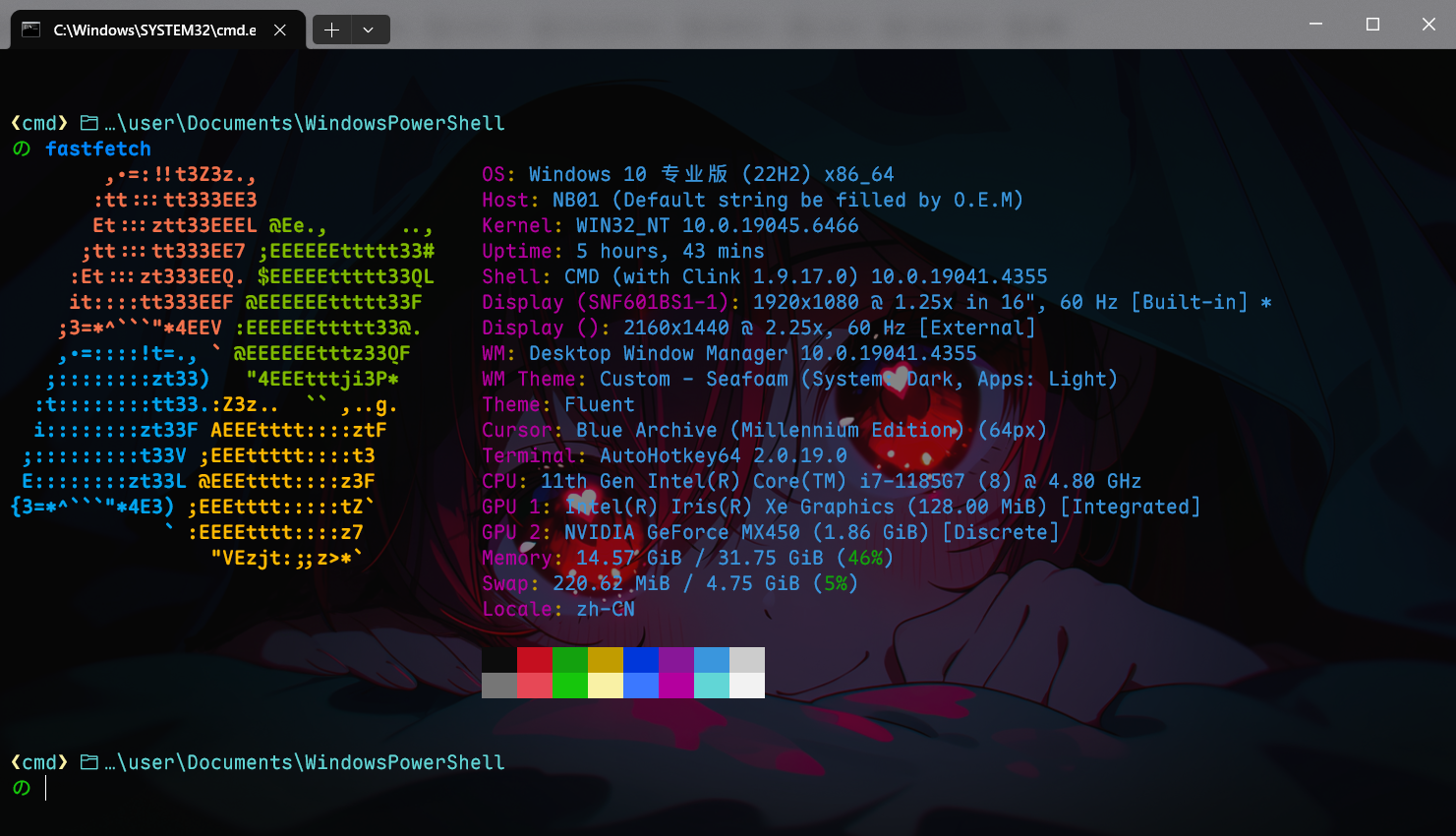
logo特别多,可以根据需要选择。